
Running automation at scale requires two things working in sync: a stable pool of clean IP addresses and a browser environment that can actually use them without leaking identity between accounts. When proxy infrastructure and a multi-profile browser are configured correctly together, teams can run dozens of parallel workflows without manual overhead.
This article covers how ProxyCorner proxy solutions pair with Afina Browser, which specific features make that combination effective, and what kinds of automation it unlocks.
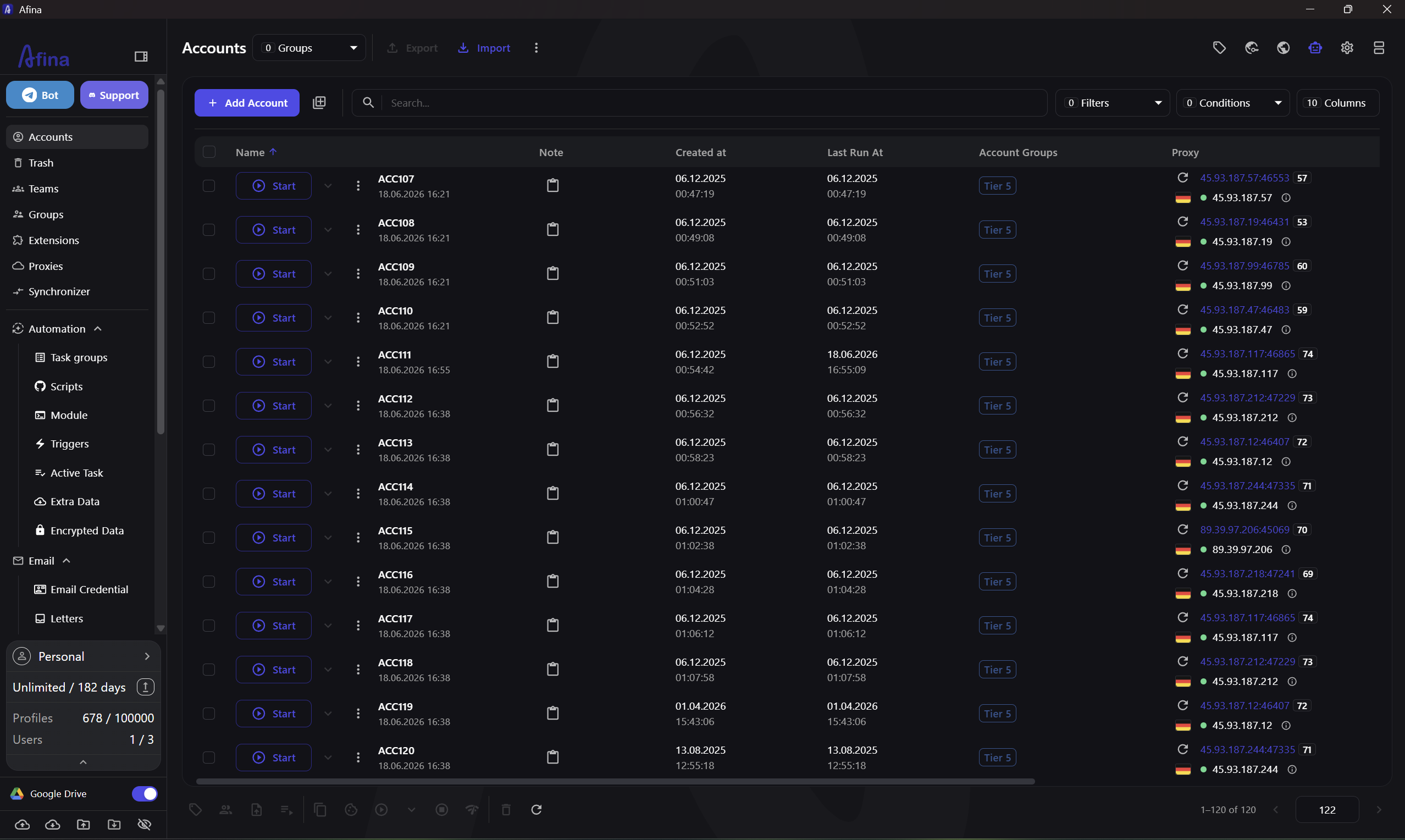
What Afina Browser Is
Afina is an antidetect browser designed for multi-account work. Each browser profile inside Afina runs in full isolation — separate fingerprint, separate cookies, separate network identity. Profiles share none of their data with each other, which is the baseline requirement for any serious multi-account operation.
Beyond profile isolation, Afina includes a visual automation builder, a session synchronizer, a cookie manager, a local API, and an MCP server for AI agent integration. The application runs locally: no cloud execution, no shared infrastructure, data stays on the user's machine.
Proxy Integration in Afina
Afina supports HTTP, HTTPS, and SOCKS5 proxies. Each profile can be assigned its own proxy from the built-in proxy manager, or a proxy can be entered directly when creating a profile.
The proxy manager supports bulk import from Excel and bulk assignment to account groups. After assigning proxies, Afina can verify their connectivity using external IP-check services. The verification shows active or inactive status per proxy and updates the display in the accounts table. Full proxy management details are covered on the proxy manager page.
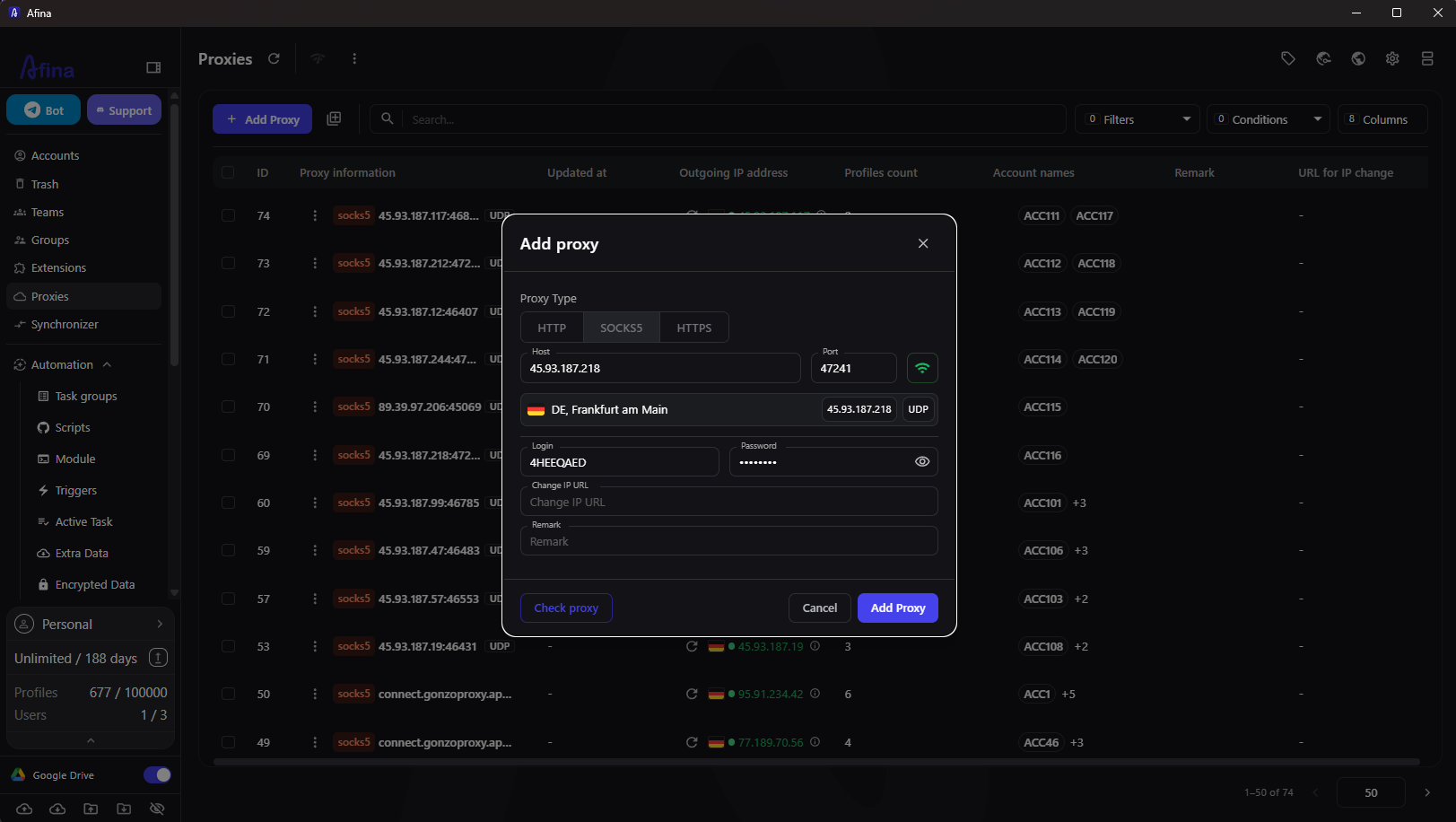
A notable technical feature is UDP over SOCKS5. When a SOCKS5 proxy supports UDP, Afina routes WebRTC, QUIC, and HTTP/3 traffic through the proxy as well — not just TCP. This matters because most antidetect setups only tunnel TCP, leaving QUIC-based connections and WebRTC to fall back to the real IP. ProxyCorner server-grade SOCKS5 proxies with UDP support are a good fit for this: the connection profile they produce is more realistic and closes a common fingerprint leak vector.
How ProxyCorner Solutions Combine with Afina Browser
ProxyCorner provides proxy infrastructure — residential, datacenter, and mobile IPs across multiple geographies. For Afina users, this means a reliable source of IP addresses that can be assigned to individual profiles or distributed across account groups.
Per-profile proxy assignment
Each Afina profile can hold exactly one proxy. ProxyCorner IPs are entered directly or imported in bulk. Afina then uses that proxy for all traffic from that profile — including WebRTC if the proxy supports UDP.
Geographic matching
ProxyCorner's geo-targeted residential IPs pair well with Afina's automatic timezone and language settings. When a profile connects to a German residential proxy from ProxyCorner, Afina can set the timezone to Europe/Berlin and the Accept-Language header to German automatically. The resulting fingerprint matches the proxy location without manual configuration.
Rotating proxies and session management
For workflows that use rotating IPs, Afina's cookie manager handles session continuity. Cookies are exported per profile before a rotation and reimported after — keeping the authenticated session alive even as the IP changes. The Cookie Robot can also warm up sessions on a fresh IP by visiting predefined URLs automatically.
Stable datacenter proxies for automation
High-throughput automation tasks — price monitoring, data collection, bulk form submissions — benefit from ProxyCorner datacenter proxies. These are faster and more consistent than residential IPs, and Afina's no-code scripts can run the same task across dozens of profiles in parallel.
Automation Features That Matter Most
Local API for External Control
Afina exposes a local REST API on 127.0.0.1:50778. External tools can use it to open profiles, run scripts, read account state, and close sessions — without any cloud dependency or rate limits. Teams that build their own dashboards or scheduling systems can connect directly to the API.
For teams using AI tools, the MCP server lets agents control Afina profiles through text instructions. This is documented on the local API and automation page.
Synchronizer for Parallel Actions
The synchronizer lets operators control multiple browser windows simultaneously. Actions performed in the lead window — clicks, scrolls, navigation, text input — are mirrored to all selected profiles at once. This is useful for tasks that need to happen across many accounts at the same time: logging in, checking notifications, submitting the same form.
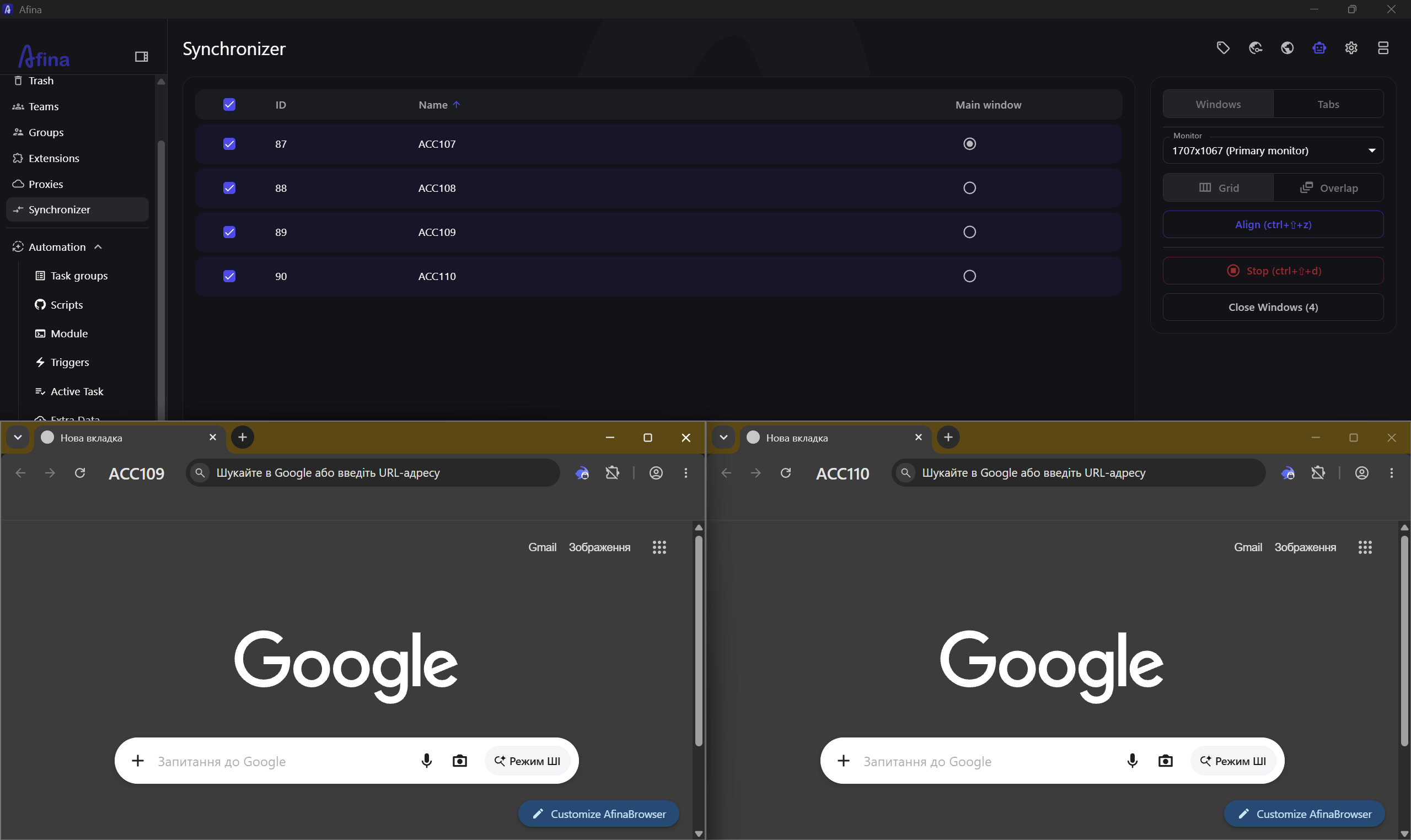
The synchronizer cuts manual time on repetitive tasks that span a large number of accounts. Combined with ProxyCorner's IP pool, each synchronized window can operate through a different IP — the same action pattern, different network identities.
No-Code Scripts and Task Groups
Afina's visual automation builder handles the logic without requiring code. Users build flows from blocks: navigate to URL, wait for element, click, enter text, conditional branch. Scripts are organized into task groups and can run on a defined schedule or triggered by an external event via the API.
Custom Node.js modules extend the builder for cases where standard blocks are not enough — file I/O, external API calls, or database queries can be wired in as reusable script components.
AES-256 Encrypted Session Storage
When scripts need to handle sensitive data — API keys, passwords, 2FA secrets — Afina stores these in an AES-256-CBC encrypted vault tied to the user's local key file. ProxyCorner credentials, if stored this way, are decrypted only at script execution time and never transmitted to any cloud service.
Typical Combined Workflow
A team running affiliate campaigns with ProxyCorner and Afina might set up the workflow this way:
- ProxyCorner residential IPs are imported into Afina's proxy manager, one per account group
- Each campaign account runs in a dedicated Afina profile with its own proxy, fingerprint, and cookie store
- A no-code warm-up script visits the ad platform and triggers natural browsing behavior before the campaign is activated
- The synchronizer handles any task that needs to happen across all accounts simultaneously — checking approval status, downloading reports
- When a proxy rotates, the cookie manager exports and reimports the session automatically
This kind of setup requires no developer work on the browser layer — the automation logic lives inside Afina, and the proxy management lives inside ProxyCorner.
Start with Afina Browser
Promo codes for new users:
- SALE20 — 20% off all plans except Max
- SALE30 — 30% off the Max plan
Frequently Asked Questions
Can I use rotating proxies from ProxyCorner in Afina?
Yes. Rotating proxies can be assigned to profiles. When the IP rotates, Afina's cookie manager can export and reimport session cookies to keep the authenticated session active across the IP change.
Does UDP support require a specific proxy type?
UDP routing works when the SOCKS5 proxy itself supports UDP. HTTP and HTTPS proxies do not carry UDP traffic. Check with ProxyCorner which of their SOCKS5 offerings include UDP support for QUIC and WebRTC routing.
How many accounts can the synchronizer control at once?
The synchronizer does not have a hard account limit. The practical ceiling depends on hardware — each open browser window consumes RAM and CPU. Teams typically synchronize between 5 and 50 windows in parallel on standard workstations.
Is the local API available without an internet connection?
Yes. The API runs on 127.0.0.1:50778 and requires no internet connection. It is accessible only from the local machine by default.
Can scripts pass proxy credentials to ProxyCorner's rotation endpoint?
Yes. Afina's scripts support HTTP requests, so a script can call ProxyCorner's IP rotation URL as part of a flow — for example, rotating the IP before starting a new session on a platform.
Tags
Proxy & Web Scraping Research Team
The ProxyCorner editorial team researches, tests, and reviews residential, datacenter, mobile, and ISP proxy providers. Every review is backed by our standardized monthly benchmark suite — 10,000+ test requests per provider, 5-region speed measurements, and independent IP pool verification.
Reviews follow our published testing methodology, including affiliate disclosure and editorial independence standards.
Ready to Choose a Proxy Provider?
Explore our comprehensive directory of residential proxy providers and find the perfect match for your web scraping needs.
Browse Proxy Providers